

















Standby stops a server that nobody plays on, so it does not use resources when nobody plays. It is on for every server, and the default wait is 10 days. The stop is a normal one, so the world is saved first. Nothing is deleted. You, or anyone with the wake link, can start the server again.
Find the settings
- Open the Settings tab.
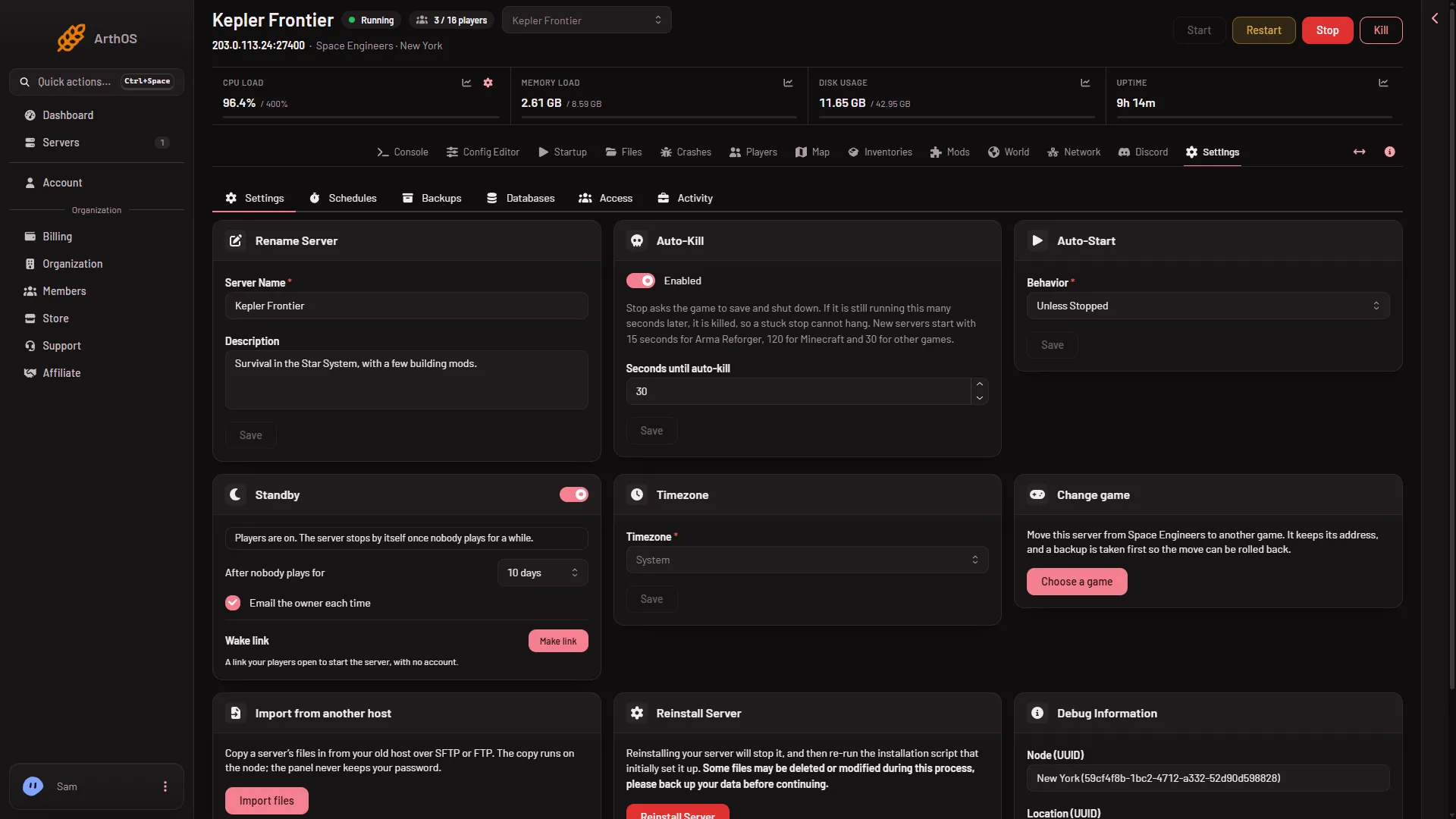
- Find the Standby card (1).
- Standby
- Wake link
The card has:
- A switch, Stop the server when nobody plays on it.
- After nobody plays for. The choices run from 30 minutes to 24 days. The default is 10 days.
- Email the owner each time, so you hear when it goes into standby.
- Wake link (2).
Press Save after a change. It applies at once.
How the panel counts players
The panel counts players with the Steam player query: the list of players the game reports to Steam. When the panel tools are on, it checks a second time against the tools’ own list, and both counts must agree before it stops the server.
With the panel tools off, there is no second count. The panel waits one extra hour and uses only the Steam count.
A count the panel cannot read never counts as empty. In that case the card says it is waiting. The server is never stopped on a guess. See the panel tools guide.
What the card tells you
The line under the switch shows the state. For example:
- “Players are on. The server stops by itself once nobody plays for a while.”
- “Nobody on for (time). Standby (when) unless someone joins.”
- “Waiting: a change, backup or wipe is running on this server.”
If the server is in standby, the page says “This server is in standby” and offers Start.
Make a wake link
A wake link lets your players start the server themselves, with no account. It starts the server and does nothing else.
- On the Standby card, press Make link (2).
- Press Copy link and send it to your players.
Each link starts the server up to 12 times a day. Options let you show the join address on the wake page. A server woken by the link, if nobody joins within an hour, goes back to standby.
Standby and your schedules
While a server sleeps, its schedules wait. They do not wake it. A daily restart will not start a sleeping server.
If it does not go into standby
- The card says Waiting. The panel cannot read the player count, or a backup or change is running. It tries again.
- The two counts disagreed. The clock starts again. Check that the panel tools are loaded. They load at the next start after you turn them on.
- Someone is on. Standby only starts after the last player leaves.