

















Set Autosave every (minutes) (AutoSaveInMinutes) to the number of minutes you want between saves. It takes a whole number from 1 to 1440. Keen Software House, the game’s makers, give 5 as the game’s own value in their wiki. You change it in the Config Editor, with the server stopped, and it applies at the next start.
A save is a copy of the world written to disk. If the server crashes or is killed, you lose what happened since the last save, so the interval is the most a crash can cost you.
Change the interval
- Stop the server from the header. The game writes the world’s settings file when it stops, so these rows can only be saved while it is stopped.
- Open the Config Editor and choose the World settings tab.
- Scroll to Saving and clean-up (1).
- Set Autosave every (minutes), press Save in the bottom bar, then start the server.
A new server shows only Passwords and Server settings until it has started twice: the first start makes the world, the next start names it as the world that loads. Start it again (or restart it), then stop it to change world settings. The same happens after Make it at the next start on the World page.
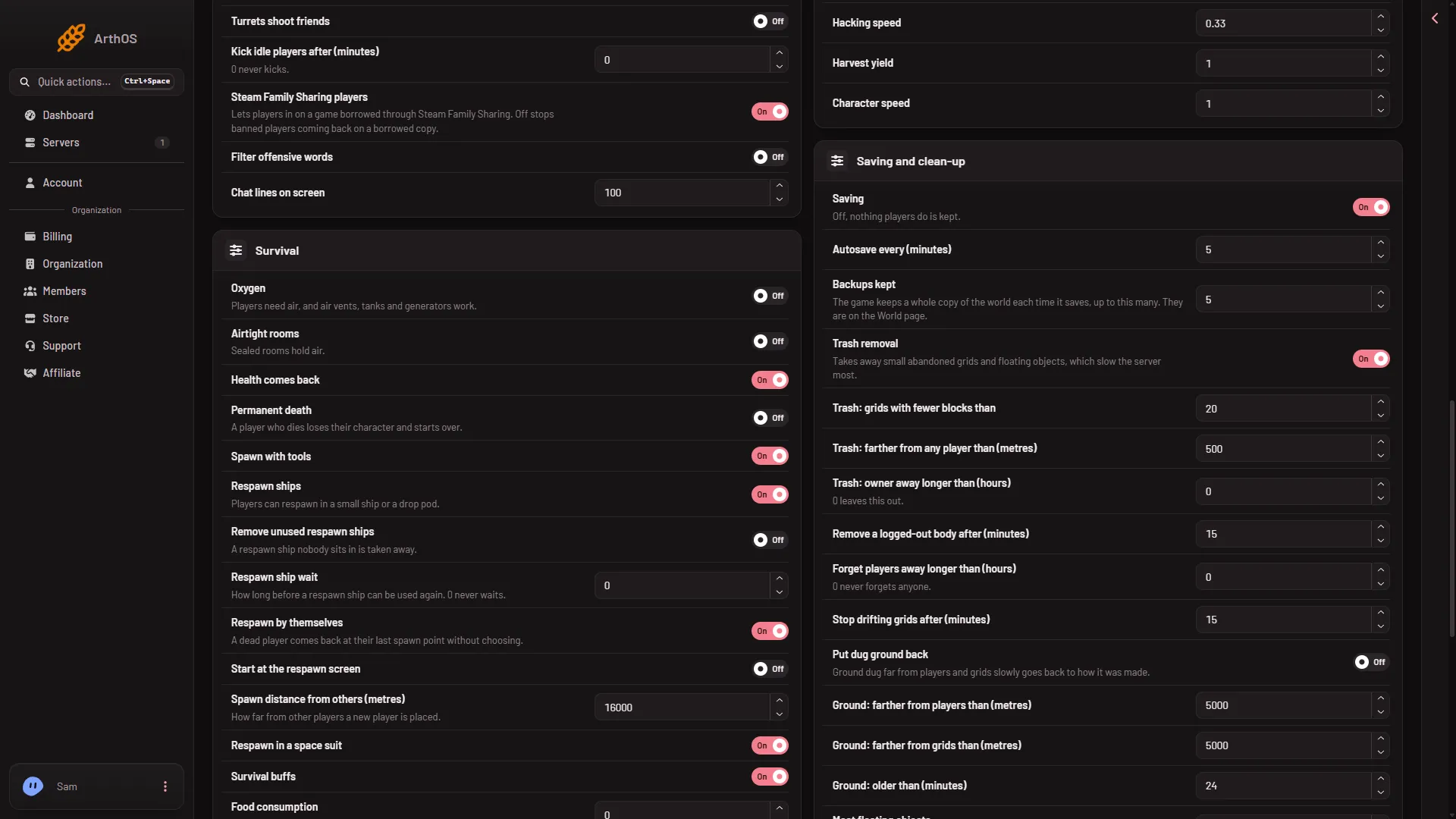
- Saving and clean-up group
A shorter interval loses less after a crash. Each save is work for the server, so a very short interval can cost more than it helps on a big world. How much was not measured.
What a stop and a kill do
A normal stop from the panel saves the world first. It takes a few seconds. A kill does not save: the game is ended as it is. After a kill you get the last autosave. This is why the interval matters. See lost progress.
To save at once without stopping, press Save now on the Players page. It asks the game to save and does not wait, so wait a few seconds after pressing it. It needs the panel tools on, see the panel tools. Without the tools, a normal Stop saves.
The Saving switch
The Saving row (EnableSaving) has the help line “Off, nothing players do is kept.” Keen’s wiki describes the same setting as the Save option in the hosting player’s menu and says it does not stop autosave. Which of the two is true on a Loafhosts server was not checked on 1.210 as of 15 November 2026. Leave Saving on.
Backups kept
Each time the game saves, it can keep a whole copy of the world. Backups kept (MaxBackupSaves) is how many it keeps, from 0 to 1000. The panel says “The game keeps a whole copy of the world each time it saves, up to this many. They are on the World page.”
These are the game’s own backups of one world. They are not the panel backups under Settings, Backups. To use one, open the World page and press Put back on it. It becomes a new world and loads from the next start. See restore a backup. Before you take a panel backup with the server running, press Save now and wait a few seconds, or stop the server. On Backups, press Create, then Create Backup.
If it does not work
- The Save button is greyed out. The server is not stopped. Stop it, then change the rows.
- No World settings tab. See the note under the picture: start the server again, then stop it.
- You lost an hour of building after a crash. The server went back to the last autosave. Lower the interval, and use a stop, not a kill.
- The World page shows fewer backups than you set. The game makes one each time it saves. A new world has few until it has saved a few times.
More about the game: Space Engineers servers on Loafhosts.
Sources: spaceengineers.wiki.gg: SessionSettings, spaceengineers.wiki.gg: World Settings