

















Set Game mode (GameMode) to Creative in the Config Editor, on the World settings tab, with the server stopped. Everyone then gets every block and takes no damage to themselves. The change applies at the next start.
Creative and Survival are two ways to play. In Survival players manage power, materials, food and fuel. In Creative they place complete blocks for free and have unlimited inventory, according to the game’s wiki.
Switch the mode
World settings are saved only while the server is stopped, because the game writes this file itself when it stops. They live in the world’s Sandbox_config.sbc, under <Settings>.
- Stop the server. A normal stop saves the world.
- Open Config Editor and choose the World settings tab. Its name ends with your world’s name.
- In the World group, open the Game mode list (1) and choose Creative or Survival.
- Press Save in the bar at the bottom.
- Start the server.
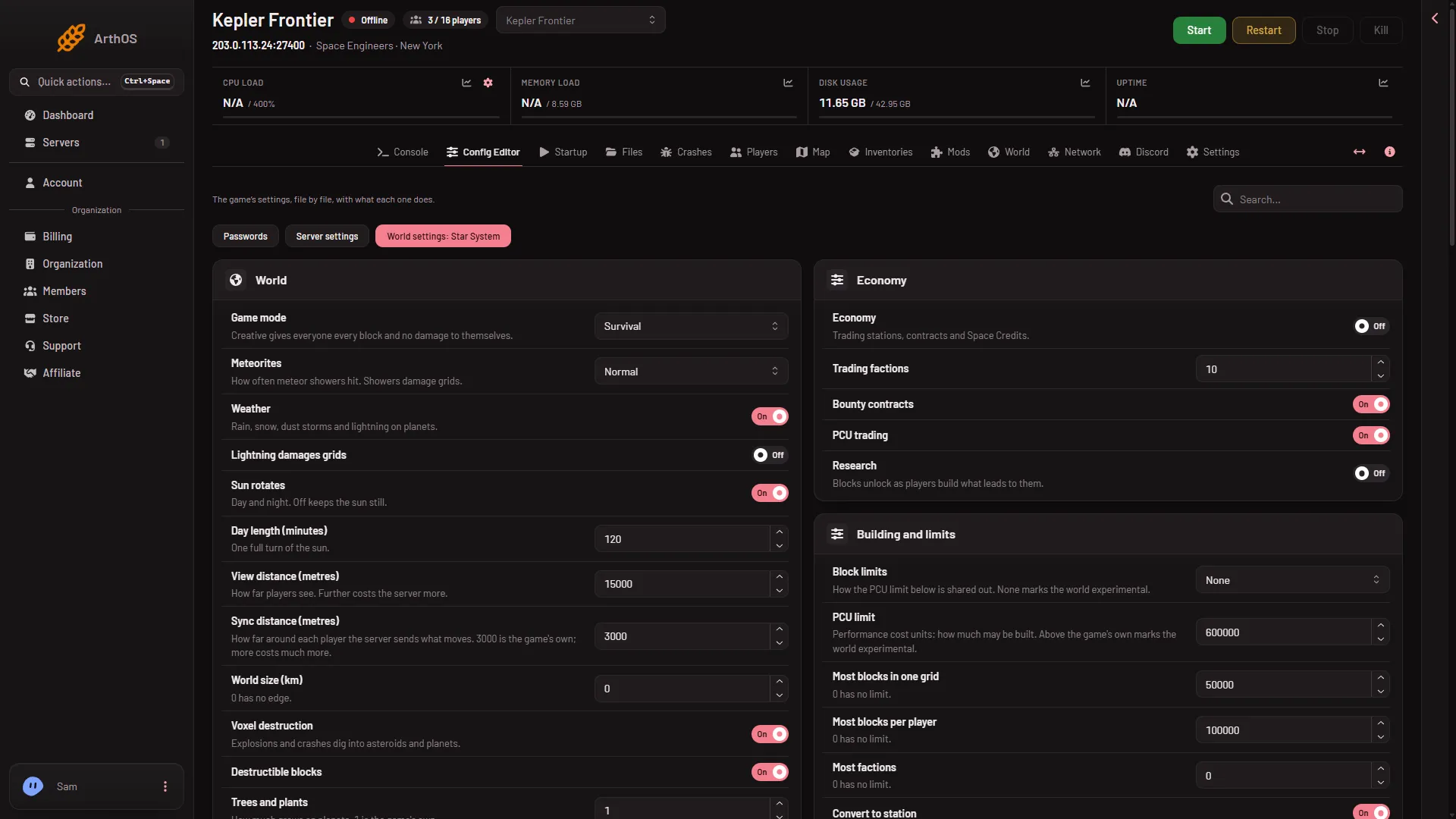
- Game mode
Not checked with a player on 1.210 as of 15 November 2026: what happens to what players already carry and have built when you change the mode on a world that has been played.
Copy and paste and the spectator camera
Two more rows sit lower on the same tab, in the Players group (1).
- Copy and paste (
EnableCopyPaste). It lets players paste blueprints in creative tools. Admins have it whatever this says. The game’s wiki says this is on by default in Creative and off in Survival. - Spectator camera (
EnableSpectator). It lets players fly a free camera. Admins have it whatever this says. The game’s reference adds that spectator is still allowed in Creative mode or with admin creative tools even when this is off. Turning it on can make the game mark the world experimental. A new server already counts as experimental, so its players already need Experimental mode on in their game. See Experimental mode.
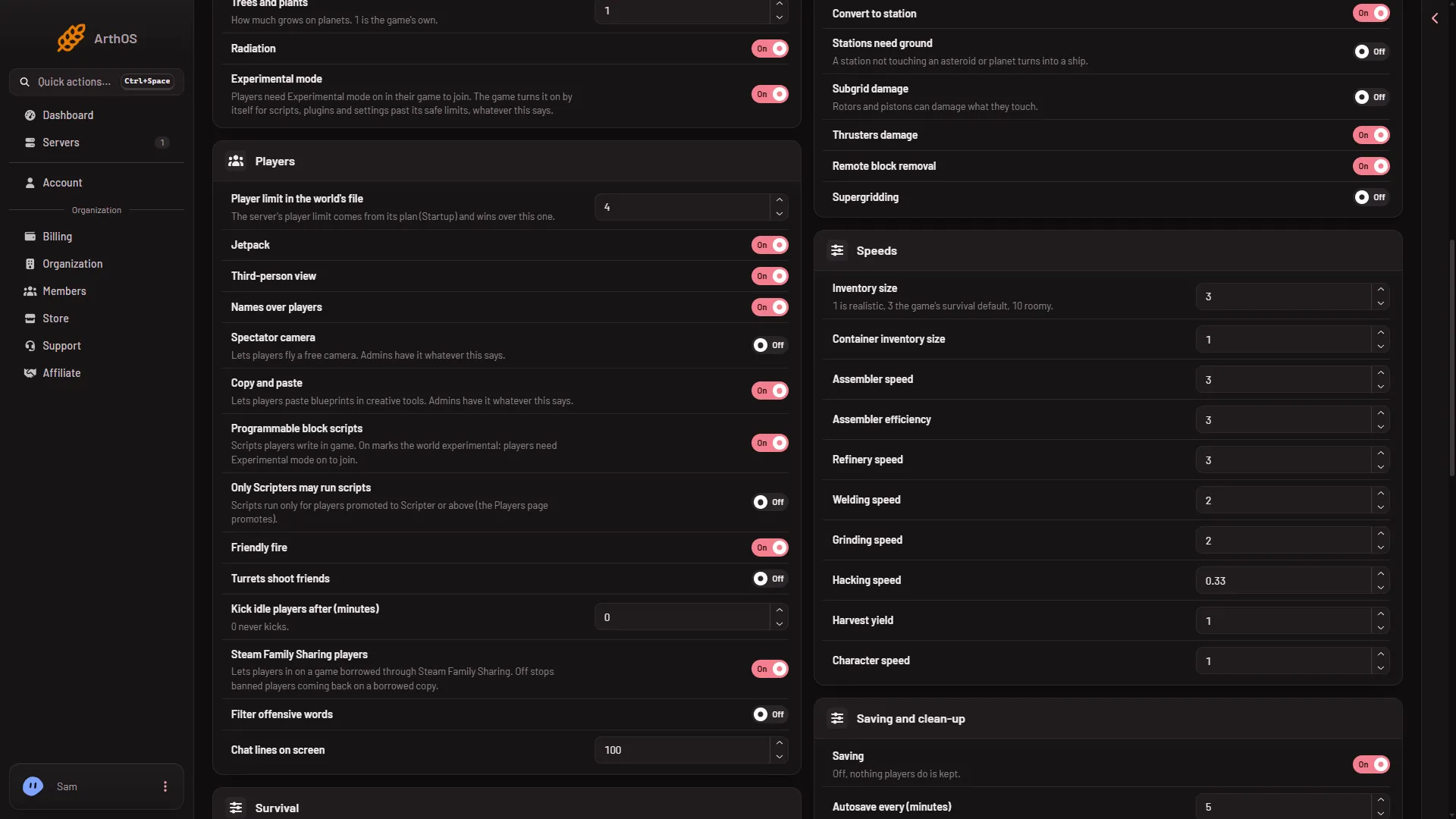
- Players group
Admins keep creative tools
An admin can use creative tools in a Survival world too. In the game, an admin opens the Admin Screen with Alt+F10 and turns on “Enable creative mode tools” in the Admin Tools, which need the Admin rank. The wiki says admins with creative tools on can copy and paste blueprints into a Survival world. That is why the panel adds “Admins have it whatever this says.”
To make someone an admin, see make yourself admin. Use the Players page.
Players cannot find a Creative server
The game’s Servers list hides Creative servers by default. A player can lower the filters in the list, or press Direct Connect and paste the address from the Players page. A new server is called Hosted By Loafhosts.com until its owner changes Server name on Startup. For the full steps see join a Space Engineers server.
Not checked with a player on 1.210 as of 15 November 2026: how Direct Connect takes the port.
If it does not work
- The Save button is greyed out. The server is not offline. Stop it first.
- There is no World settings tab. A new server shows only Passwords and Server settings until it has started twice: the first start makes the world, the next start names it as the world that loads. Start it again (or restart it), then stop it to change world settings. The same happens after Make it at the next start on the World page. Use this world shows the tab at once.
- I do not see Copy and paste. Scroll down to the Players group, or type “Copy” in the Search box.
- The mode did not change. Start the server again. The game reads World settings at the start.
More about the game: Space Engineers servers on Loafhosts.
Sources: spaceengineers.wiki.gg: World Settings, spaceengineers.wiki.gg: SessionSettings, spaceengineers.wiki.gg: Admin Screen, spaceengineers.wiki.gg: Multiplayer, spaceengineers.wiki.gg: Blueprint